This roadmap reflects our current development cycle and we plan to update it regularly. This roadmap does not guarantee which features will be included in a specific software version. All plans are tentative and subject to change without notice.

Discover Upcoming Features and Ideas

Catch up on upcoming features, vote, comment, and submit new ideas.

57 cards
Everything
Arrow Down
On Target

On Target

The feature is on track to be included in a particular release.

Delayed

Delayed

The feature is delayed and it is highly likely it won't make it into a particular release.

At Risk

At Risk

The feature is at risk of being delayed due to running into unforeseen difficulties or is taking longer than anticipated.

Completed

Completed

The feature is completed internally. This does not mean the feature is available publicly.

Released

Released

The feature has been released and is available in public builds.

Everything
On Target Icon On Target
At Risk Icon At Risk
Delayed Icon Delayed
Completed Icon Completed
Released Icon Released
Editor's pick
Arrow Down
Editor's pick
Most recent
Most upvoted

Upcoming: 2.0 (October 14th 2026)

Collapse Section

Feature Preview

2.0.0 Changelog (Subject to Change)

Status IconOn Target

Feature Preview

2.0.0 Changelog (Subject to Change)

User Avatar

Nicholas Seavert

Posted on September 21, 2026

Status IconOn Target

The feature is on track to be included in a particular release.

2.0.0

New Additions

  • Added a Position parameter to the UV Transform node to add translation distortions to UV textures
  • Added a UV Injector node that injects directional, rotational and radial forces into a UV Flow node, masked by a movable procedural shape or brush input; the mask motion itself can be injected as an inherited velocity, with optional motion sub steps filling the gaps of fast movements, and the mask tiles when tiling is enabled
  • Added a Geo: Boolean node that combines two closed meshes with a Union, Intersection or Subtraction operation
  • Added a Geo: Revolve node
    • revolves a profile curve around a chosen axis (X, Y or Z)
    • the profile is an editable 2D or 3D spline or a connected input path
  • Added a Geo: Fracture node
    • cuts geometry into Voronoi pieces around a second input's points
    • each piece gets its own pivot and id
    • a Weight mask read from the points grows or shrinks each piece (cuts shift away from higher-weight points, which can swallow weaker neighbors), so a mask or texture drives the piece sizes
    • only cells that end up owning geometry produce a pivot, so downstream per-piece nodes see the real piece count instead of one pivot per input point
    • a Solid mode closes every piece with flat interior walls (the input must be a closed mesh); Surface mode keeps the cut shells only
    • a Separate parts option keeps the walls and the surface as distinct parts, and a Mask tab writes a Surface mask and an Inside mask
    • a Recenter pivots option moves each piece's pivot to the center of its bounding box
  • Added a Geo: Extrude node
    • gives geometry thickness along the vertex or surface normals
    • per pivot piece (with per-piece pivot recentering)
    • individual front/back/walls toggles
  • Added a Cache node, which can be used to cache the output of another node across a number of frames
  • Added node previews to the node preset dropdown menu
  • Added the ability to lock to the current node on the preview matrix
  • Added an Edge Rounding node that rounds the corners of a mask by growing then shrinking it by a distance
  • Added a GPU particle system built around a single Particle: System node: modules plug into its Spawn, Forces, Interact and Modulation stage pins, the physics integration runs between the Forces and Interact stages, and the system outputs its particles as points for the rendering and geometry nodes like any other point set. A system is 3D or 2D — a 2D system keeps everything in the texture plane with matching 2D parameters and gizmos across every module, and aligns 1:1 with the output texture by default
    • Particle: System — owns the simulation: particle pool (or a grid of field probes), simulation boundary (Free, Blocked, Wrap or Ground), physics integration and time scale, and the 3D / 2D system choice
    • Particle: Spawn — activates particles: emission modes (all, burst, rate, per frame, per point), an emission shape or a geometry input to emit from, and the initial particle state (velocity, lifetime, scale, color, orientation, spin, ...)
    • Particle: Force — pushes particles with a Uniform, Point, Line, Curl noise, UV Texture, Torus or Local (per-particle frame) force, applied continuously or as a one-shot impulse
    • Particle: Rotational Force — spins particles around a uniform axis, a point with falloff, a curl-noise tumble or a per-particle torque, continuously or as an impulse
    • Particle: Attract to Mesh — pulls each particle toward a target sampled on a mesh, shaped by a falloff curve
    • Particle: Interact — handles all collisions: container / ground boundary with its own radius scale, bounciness, friction, rolling and rest orientation; optional inter-particle interactions (Soft Relax spacing, Collision bouncing or Boids flocking) with particle merging; a Point Colliders input turning a point set into sphere colliders (points only, not mesh surfaces) that can drag and strike particles with their own motion (add Geo: Extract Velocity upstream); and, in 2D, an image collider input — particles bounce off a thresholded grayscale texture
    • Particle: Modulate — animates scale, color or drag over each particle's life, speed or mask, driven by curves and gradients
    • Particle: Align — orients particles to their velocity direction and / or scales them from their speed
    • Particle: Mask — writes per-particle mask channels from particle attributes or events, to drive any masked node downstream
    • Particle: Atlas Index — animates which sprite or atlas mesh each particle picks over its lifetime
    • Particle: Render to Texture — renders particles as camera-projected sprites: blending modes, sprite atlas support, back-to-front sorting, anti-aliasing, frame accumulation, and a full camera or a Camera Control input
    • Particle: Render Motion — renders the motion of the particles (velocity and spin) into a UV texture, ready to warp textures or feed a UV Flow simulation
    • Incomplete systems are flagged on the node, with the details in its Issues tab and a one-click fix that builds a starter system or inserts the missing module
  • Added particle trails and ribbons: Particle: Spawn tags particles with a trail identity, Geo: Ribbon builds polygon strips along each trail (with Catmull-Rom smoothing and UV controls), and Ribbon: Render to Texture renders the strips directly with the same options as the particle renderer
  • Added a pivot animation toolset to drive mesh pieces with particles:
    • Geo: Extract Pivots — one point per baked pivot of a mesh, scaled to the piece's circumsphere or insphere diameter, ready to seed or emit particles from its pieces
    • Geo: Animate Pivots — moves and rotates each pivot piece by its matching particle, replaying the simulation on the mesh
    • Geo: PAT Encode / Geo: PAT Decode — bake pivot (rigid-piece) animation into a compact texture for game engines, and the in-graph reference decoder
  • Added Geometry Atlas support — a geometry buffer holding several individually addressable meshes:
    • Geo: Add To Atlas packs its inputs into an atlas; Geo: Accumulate To Atlas accumulates a mesh over frames, one addressable snapshot per frame
    • Geo: Copy To Points and Geo: Copy and Transform accept an atlas input and pick a mesh per instance: sequential, random or by attribute
    • Geo: Atlas Index writes the per-point atlas index; Particle: Spawn and Particle: Atlas Index drive it on particles
  • Added particle export nodes:
    • Export: Niagara Point Cache — writes the simulation as a Houdini point cache (.hjson / .hbjson) replayable in Unreal Engine through the free Houdini Niagara plugin
    • Export: Vector Field (FGA) — exports the velocity field sampled by a grid of particle probes (Particle: System in Grid mode) as an FGA file
  • Added Geo: Transfer Attributes — copies position, color, velocity or mask from a matching point set onto a geometry
  • Added Geo: Extract Velocity — attaches per-point velocity by differencing positions against the previous frame
  • Geometry nodes now show a preview thumbnail (anti-aliasing can be toggled in the preferences, on by default)
  • Added filtering by type to the 'Presets' section of the homescreen
  • Added a color mask to the Optical Flow node so you can specify how much each color affects the optical flow calculation
  • Added 'Offset by...' to the timeline keys context menu
  • Added CSV export support to color gradients

Improvements

  • Improved the UV Radial, UV Directional and UV Rotational nodes:
    • chaos gained a Depth option that varies the chaos across its second axis instead of keeping each ray, line or ring constant
    • chaos gained Noise type and Voronoi options
  • UV Noise, UV Radial, UV Rotational and UV Directional apply the UV input's post distortion correctly on non-square textures
  • 2D splines in Geo: Sweep, Geo: Points Shape and Geo: Revolve can now be edited on any of the 3 planes (XY, XZ or YZ), with a reference grid added as a gizmo
  • Geo: Fuse Points gained a Keep pivots separate option (on by default)
  • Smoothed vertex normals on geometry nodes are now angle-weighted, so shading no longer depends on how a surface is tessellated
    • most visible on irregular meshes and on meshes that mix quads and triangles
    • existing projects may shade slightly differently
  • Improved the Geo: Extract Points node:
    • can now transfer orientation, UV, color and scale in Point mode
    • gained a Scatter sampling option (Per face or Area uniform)
    • gained a Relax iterations option (Lloyd relaxation) in scatter mode
    • gained Scatter in bounds and Scatter in volume extraction types that place random points in the bounding box or inside the mesh, transferring orientation, UV, color and scale from the nearest surface
  • Geo: XForm now rotates the vertex normals and tangents along with the points, preserving the authored shading (normals can still be forced to recompute)
  • Geo: Delete Points gained a Transition width and seed that soften the mask threshold
  • Geo: Shapes Sphere now has properly aligned triangles on the top and bottom
  • Improved the Advect node:
    • the method dropdown now works (Euler, Runge-Kutta 2 and 4) and gained a MacCormack option
    • sub steps follow curved flows and accumulate samples along the path, smearing fast motion like a motion blur
  • Rebuilt the UV Flow node as a proper 2D fluid simulation evolving as the timeline goes on
    • pressure is solved on a multigrid (faster and more incompressible)
    • colliders now properly deflect the flow around them
    • boundary mode selection (Wrapping, Blocking, Wrap horizontal or Wrap vertical edges)
    • multi resolution vorticity to amplify small, medium and larger swirls
    • MacCormack advection option added to keep the flow sharper over long simulations
    • UV injection applies its full velocity every frame while the wind keeps its progressive ramp-in
    • optional Colliders velocity input: moving colliders push and drag the flow at their own speed instead of just blocking it
    • follows the same UV conventions as the other nodes
  • Improved the Edge Detect node:
    • gained an Anti-aliasing option that smooths the detected edges over one pixel
    • gained a Thin Line technique drawing uniform one pixel wide anti-aliased contour lines
  • Geo: Render to Texture gained Accumulate frames (keep composing onto the same buffer across the timeline) and, with the Geo: Render Camera Control node, a Camera target offset to move the focus point off the origin
  • Geo: Merge is faster: it no longer recomputes normals and tangents (behavior change — the merged geometry keeps its authored shading; add a node that recomputes normals downstream if you relied on it)
  • Spline gizmos fade with camera distance (closest points brightest) as a depth cue
  • Improved the viewport export preview by showing black bars and an accurate representation of the scene when exporting at a custom resolution
  • Reorganized the parameters for supershapes

Changes

  • Geometry, particle and export node labels are now prefixed Geo: / Particle: / Ribbon: / Export: for a cleaner node menu and search (labels only — existing projects load unchanged)
  • Disabled auto-scroll when dragging on the Node Details panel
  • Scale gizmo handles now scale their own axis by default, hold Ctrl to scale every axis at once

Fixes

  • Fixed multiple default macOS shortcuts that were incompatible with macOS itself
  • Fixed the red traffic light on macOS not showing a dot for unsaved changes
  • Fixed the Distance node ignoring the input resolution when it differs from the output resolution
  • Fixed a crash when quitting right after saving a project or capturing a viewport thumbnail
  • Fixed export variations not exporting when the overwrite warning was disabled
  • Fixed middle mouse button panning emulation in the 2D view
  • Fixed geometry nodes producing broken normals, tangents and vertex colors around zero-area faces
  • Made the node preset dropdown filter out directories and non-node-preset files
Feature Preview

3D Particles

Status IconCompleted

Feature Preview

3D Particles

User Avatar

Nicholas Seavert

Posted on April 17, 2025

Status IconCompleted

The feature is completed internally. This does not mean the feature is available publicly.

Added a GPU particle system built around a single Particle: System node: modules plug into its Spawn, Forces, Interact and Modulation stage pins, the physics integration runs between the Forces and Interact stages, and the system outputs its particles as points for the rendering and geometry nodes like any other point set. A system is 3D or 2D — a 2D system keeps everything in the texture plane with matching 2D parameters and gizmos across every module, and aligns 1:1 with the output texture by default

Feature Preview

2D Particles

Status IconCompleted

Feature Preview

2D Particles

User Avatar

Nicholas Seavert

Posted on April 17, 2025

Status IconCompleted

The feature is completed internally. This does not mean the feature is available publicly.

Added a GPU particle system built around a single Particle: System node: modules plug into its Spawn, Forces, Interact and Modulation stage pins, the physics integration runs between the Forces and Interact stages, and the system outputs its particles as points for the rendering and geometry nodes like any other point set. A system is 3D or 2D — a 2D system keeps everything in the texture plane with matching 2D parameters and gizmos across every module, and aligns 1:1 with the output texture by default

Feature Preview

Destruction - Replacing "DestrucGen"

Status IconCompleted

Feature Preview

Destruction - Replacing "DestrucGen"

User Avatar

Nicholas Seavert

Posted on April 17, 2025

Status IconCompleted

The feature is completed internally. This does not mean the feature is available publicly.

We were originally planning for DestrucGen to be a separate tool for authoring destructible assets in games. Things like fracturing, pivot painting, and smaller simulations were our target. With the advancements we've made in illugen, be believe that destruction is a common pipeline item for VFX in games, and thus will just give you the proper authoring tools here.

See New Node: Geo Fracture

Feature Preview

New Node: Geo Fracture

Status IconCompleted

Feature Preview

New Node: Geo Fracture

User Avatar

Nicholas Seavert

Posted on September 21, 2026

Status IconCompleted

The feature is completed internally. This does not mean the feature is available publicly.

  • cuts geometry into Voronoi pieces around a second input's points
  • each piece gets its own pivot and id
  • a Weight mask read from the points grows or shrinks each piece (cuts shift away from higher-weight points, which can swallow weaker neighbors), so a mask or texture drives the piece sizes
  • only cells that end up owning geometry produce a pivot, so downstream per-piece nodes see the real piece count instead of one pivot per input point
  • a Solid mode closes every piece with flat interior walls (the input must be a closed mesh); Surface mode keeps the cut shells only
  • a Separate parts option keeps the walls and the surface as distinct parts, and a Mask tab writes a Surface mask and an Inside mask
  • a Recenter pivots option moves each piece's pivot to the center of its bounding box
Feature Preview

Node Rewrite: UV Flow

Status IconCompleted

Feature Preview

Node Rewrite: UV Flow

User Avatar

Nicholas Seavert

Posted on September 21, 2026

Status IconCompleted

The feature is completed internally. This does not mean the feature is available publicly.

Allows for 2D fluid like simulations within your node graph. Pair with UV Injector and Advect node to generate custom simulations.

  • pressure is solved on a multigrid (faster and more incompressible)
  • colliders now properly deflect the flow around them
  • boundary mode selection (Wrapping, Blocking, Wrap horizontal or Wrap vertical edges)
  • multi resolution vorticity to amplify small, medium and larger swirls
  • MacCormack advection option added to keep the flow sharper over long simulations
  • UV injection applies its full velocity every frame while the wind keeps its progressive ramp-in
  • optional Colliders velocity input: moving colliders push and drag the flow at their own speed instead of just blocking it
  • follows the same UV conventions as the other nodes
Feature Preview

New Nodes: Cache & Recall - Iterative Loops

Status IconCompleted

Feature Preview

New Nodes: Cache & Recall - Iterative Loops

User Avatar

Nicholas Seavert

Posted on September 21, 2026

Status IconCompleted

The feature is completed internally. This does not mean the feature is available publicly.

The Cache and Recall nodes can be used to perform operations iteratively based on stored information over time. Think erosion, reaction diffusion, or potentially even fluid sims.

Recall node takes an initial input, then you build a looping body and plug that into cache. The recall node then takes the finished loop and repeats the process as many times as you want.

Feature Preview

New Node: Geo Boolean

Status IconCompleted

Feature Preview

New Node: Geo Boolean

User Avatar

Nicholas Seavert

Posted on September 21, 2026

Status IconCompleted

The feature is completed internally. This does not mean the feature is available publicly.

This combines two closed meshes with a Union, Intersection or Subtraction operation

Feature Preview

New Node: Geo Extrude

Status IconCompleted

Feature Preview

New Node: Geo Extrude

User Avatar

Nicholas Seavert

Posted on September 21, 2026

Status IconCompleted

The feature is completed internally. This does not mean the feature is available publicly.

  • gives geometry thickness along the vertex or surface normals
  • per pivot piece (with per-piece pivot recentering)
  • individual front/back/walls toggles
Feature Preview

New Node: Particle Interact

Status IconCompleted

Feature Preview

New Node: Particle Interact

User Avatar

Nicholas Seavert

Posted on September 21, 2026

Status IconCompleted

The feature is completed internally. This does not mean the feature is available publicly.

Handles all collisions: container / ground boundary with its own radius scale, bounciness, friction, rolling and rest orientation; optional inter-particle interactions (Soft Relax spacing, Collision bouncing or Boids flocking) with particle merging; a Point Colliders input turning a point set into sphere colliders (points only, not mesh surfaces) that can drag and strike particles with their own motion (add Geo: Extract Velocity upstream); and, in 2D, an image collider input -- particles bounce off a thresholded grayscale texture

Feature Preview

New Node: Particle Attract To Mesh

Status IconCompleted

Feature Preview

New Node: Particle Attract To Mesh

User Avatar

Nicholas Seavert

Posted on September 21, 2026

Status IconCompleted

The feature is completed internally. This does not mean the feature is available publicly.

Pulls each particle toward a target sampled on a mesh, shaped by a falloff curve. Can sample any mesh type including Imported meshes.

Feature Preview

UI: Node Preset Dropdown Previews

Status IconCompleted

Feature Preview

UI: Node Preset Dropdown Previews

User Avatar

Nicholas Seavert

Posted on September 21, 2026

Status IconCompleted

The feature is completed internally. This does not mean the feature is available publicly.

All nodes have the ability to have node presets. These presets usually had names with no previews. We now show a live preview of every node preset so that you don't have to guess what each name actually means!

Feature Preview

New Node: UV Injector

Status IconCompleted

Feature Preview

New Node: UV Injector

User Avatar

Nicholas Seavert

Posted on September 21, 2026

Status IconCompleted

The feature is completed internally. This does not mean the feature is available publicly.

Generates a masked UV velocity field which is used to inject directional, rotational, and radial forces into a UV Flow node. Now that the UV Flow node has been completely rewritten, you can do simple 2D fluid simulations and use this node to inject custom forces based on input shapes.

Feature Preview

Particle Trails & Ribbons

Status IconCompleted

Feature Preview

Particle Trails & Ribbons

User Avatar

Nicholas Seavert

Posted on September 21, 2026

Status IconCompleted

The feature is completed internally. This does not mean the feature is available publicly.

Particle: Spawn tags particles with a trail identity, Geo: Ribbon builds polygon strips along each trail (with Catmull-Rom smoothing and UV controls), and Ribbon: Render to Texture renders the strips directly with the same options as the particle renderer

Feature Preview

New Node: Export Niagara Point Cache (UE5)

Status IconCompleted

Feature Preview

New Node: Export Niagara Point Cache (UE5)

User Avatar

Nicholas Seavert

Posted on September 21, 2026

Status IconCompleted

The feature is completed internally. This does not mean the feature is available publicly.

Writes the simulation as a Houdini point cache (.hjson / .hbjson) replayable in Unreal Engine through the free Houdini Niagara plugin. We will eventually write our own json format, but until then, please use Houdini's plugin.

Feature Preview

New Node: Geo Extract Velocity

Status IconCompleted

Feature Preview

New Node: Geo Extract Velocity

User Avatar

Nicholas Seavert

Posted on September 21, 2026

Status IconCompleted

The feature is completed internally. This does not mean the feature is available publicly.

Attaches per-point velocity by differencing positions against the previous frame. This is useful for using animated meshes as an input for particles, allowing particles to inherit velocity of mesh vertices.

Feature Preview

New Nodes: Geo PAT Encode / Geo PAT Decode

Status IconCompleted

Feature Preview

New Nodes: Geo PAT Encode / Geo PAT Decode

User Avatar

Nicholas Seavert

Posted on September 21, 2026

Status IconCompleted

The feature is completed internally. This does not mean the feature is available publicly.

Bake pivot (rigid-piece) animation into a compact texture for game engines, and the in-graph reference decoder. PAT is a variation on VAT, where PAT only stores information for individual pivots. The vertices that are controlled by each pivot are baked down to follow said pivots, greatly saving on memory vs a VAT. PAT's can be controlled independent of mesh resolution.

Feature Preview

New Node: Geo Revolve

Status IconCompleted

Feature Preview

New Node: Geo Revolve

User Avatar

Nicholas Seavert

Posted on September 21, 2026

Status IconCompleted

The feature is completed internally. This does not mean the feature is available publicly.

  • revolves a profile curve around a chosen axis (X, Y or Z)
  • the profile is an editable 2D or 3D spline or a connected input path
Feature Preview

New Node: Edge Rounding

Status IconCompleted

Feature Preview

New Node: Edge Rounding

User Avatar

Nicholas Seavert

Posted on September 21, 2026

Status IconCompleted

The feature is completed internally. This does not mean the feature is available publicly.

Rounds the corners of a mask by growing then shrinking it by a distance. Particularly useful for things like cobble stone, stonework, brickwork.

Feature Preview

New Node: Particle Render Motion

Status IconCompleted

Feature Preview

New Node: Particle Render Motion

User Avatar

Nicholas Seavert

Posted on September 21, 2026

Status IconCompleted

The feature is completed internally. This does not mean the feature is available publicly.

Renders the motion of the particles (velocity and spin) into a UV texture that's ready to warp textures or feed a UV Flow simulation.

Feature Preview

New Node: Particle System

Status IconCompleted

Feature Preview

New Node: Particle System

User Avatar

Nicholas Seavert

Posted on September 21, 2026

Status IconCompleted

The feature is completed internally. This does not mean the feature is available publicly.

Owns the simulation and is required for any particle effects: particle pool (or a grid of field probes), simulation boundary (Free, Blocked, Wrap or Ground), physics integration and time scale, and the 3D / 2D system choice.

Feature Preview

New Node: Particle Spawn

Status IconCompleted

Feature Preview

New Node: Particle Spawn

User Avatar

Nicholas Seavert

Posted on September 21, 2026

Status IconCompleted

The feature is completed internally. This does not mean the feature is available publicly.

Spawns particles with given parameters: emission modes (all, burst, rate, per frame, per point), an emission shape or a geometry input to emit from, and the initial particle state (velocity, lifetime, scale, color, orientation, spin, ...)

Feature Preview

New Node: Particle Force

Status IconCompleted

Feature Preview

New Node: Particle Force

User Avatar

Nicholas Seavert

Posted on September 21, 2026

Status IconCompleted

The feature is completed internally. This does not mean the feature is available publicly.

Pushes particles with a Uniform, Point, Line, Curl noise, UV Texture, Torus or Local (per-particle frame) force, applied continuously or as a one-shot impulse.

Feature Preview

New Node: Particle Rotational Force

Status IconCompleted

Feature Preview

New Node: Particle Rotational Force

User Avatar

Nicholas Seavert

Posted on September 21, 2026

Status IconCompleted

The feature is completed internally. This does not mean the feature is available publicly.

Spins particles around a uniform axis, a point with falloff, a curl-noise tumble or a per-particle torque, continuously or as an impulse

Feature Preview

New Node: Particle Modulate

Status IconCompleted

Feature Preview

New Node: Particle Modulate

User Avatar

Nicholas Seavert

Posted on September 21, 2026

Status IconCompleted

The feature is completed internally. This does not mean the feature is available publicly.

Animates scale, color or drag over each particle's life, speed or mask, driven by curves and gradients.

Feature Preview

New Node: Particle Align

Status IconOn Target

Feature Preview

New Node: Particle Align

User Avatar

Nicholas Seavert

Posted on September 21, 2026

Status IconOn Target

The feature is on track to be included in a particular release.

Orients particles to their velocity direction and / or scales them from their speed.

Feature Preview

New Node: Particle Mask

Status IconCompleted

Feature Preview

New Node: Particle Mask

User Avatar

Nicholas Seavert

Posted on September 21, 2026

Status IconCompleted

The feature is completed internally. This does not mean the feature is available publicly.

Writes per-particle mask channels from particle attributes or events, to drive any masked node downstream

Feature Preview

New Node: Particle Atlas Index

Status IconCompleted

Feature Preview

New Node: Particle Atlas Index

User Avatar

Nicholas Seavert

Posted on September 21, 2026

Status IconCompleted

The feature is completed internally. This does not mean the feature is available publicly.

Atlas Index animates which sprite or atlas mesh each particle picks over its lifetime. This can be used to have different meshes per particle based on a mesh atlas.

Feature Preview

New Node: Render Particles (To Texture)

Status IconCompleted

Feature Preview

New Node: Render Particles (To Texture)

User Avatar

Nicholas Seavert

Posted on September 21, 2026

Status IconCompleted

The feature is completed internally. This does not mean the feature is available publicly.

Renders particles as camera-projected sprites for 2D workflows: blending modes, sprite atlas support, back-to-front sorting, anti-aliasing, frame accumulation, and a full camera or a Camera Control input

Feature Preview

UI: Auto-fix particle systems

Status IconCompleted

Feature Preview

UI: Auto-fix particle systems

User Avatar

Nicholas Seavert

Posted on September 21, 2026

Status IconCompleted

The feature is completed internally. This does not mean the feature is available publicly.

Incomplete systems are flagged on the node, with the details in its Issues tab and a one-click fix that builds a starter system or inserts the missing module

Feature Preview

New Node: Geo Extract Pivots

Status IconCompleted

Feature Preview

New Node: Geo Extract Pivots

User Avatar

Nicholas Seavert

Posted on September 21, 2026

Status IconCompleted

The feature is completed internally. This does not mean the feature is available publicly.

One point per baked pivot of a mesh, scaled to the piece's circumsphere or insphere diameter, ready to seed or emit particles from its pieces. Useful for setting up fractured mesh simulations and used in PAT.

Feature Preview

New Node: Geo Animate Pivots

Status IconCompleted

Feature Preview

New Node: Geo Animate Pivots

User Avatar

Nicholas Seavert

Posted on September 21, 2026

Status IconCompleted

The feature is completed internally. This does not mean the feature is available publicly.

Moves and rotates each pivot piece by its matching particle, replaying the simulation on the mesh.

An example workflow would be to create a shape, extract its points. Then use those points to fracture a mesh. From there you extract points from the fractured mesh and use those as the particles in your active pool. Finally you plug that particle system into your Geo Animate Pivots and use the geometry from your fracture node and you have a fully animated destructible object that you can bake as PAT.

Feature Preview

New Node Set: Geometry Atlases

Status IconCompleted

Feature Preview

New Node Set: Geometry Atlases

User Avatar

Nicholas Seavert

Posted on September 21, 2026

Status IconCompleted

The feature is completed internally. This does not mean the feature is available publicly.

Added Geometry Atlas support — a geometry buffer holding several individually addressable meshes:

  • Geo: Add To Atlas packs its inputs into an atlas; Geo: Accumulate To Atlas accumulates a mesh over frames, one addressable snapshot per frame
  • Geo: Copy To Points and Geo: Copy and Transform accept an atlas input and pick a mesh per instance: sequential, random or by attribute
  • Geo: Atlas Index writes the per-point atlas index; Particle: Spawn and Particle: Atlas Index drive it on particles
Feature Preview

New Node: Export Vector Field (FGA) - VectorayGen Successor

Status IconCompleted

Feature Preview

New Node: Export Vector Field (FGA) - VectorayGen Successor

User Avatar

Nicholas Seavert

Posted on September 21, 2026

Status IconCompleted

The feature is completed internally. This does not mean the feature is available publicly.

Exports the velocity field sampled by a grid of particle probes (Particle: System in Grid mode) as an FGA file. We have included a preset showing how to create a vector field.

Feature Preview

New Node: Geo Transfer Attributes

Status IconCompleted

Feature Preview

New Node: Geo Transfer Attributes

User Avatar

Nicholas Seavert

Posted on September 21, 2026

Status IconCompleted

The feature is completed internally. This does not mean the feature is available publicly.

Copies position, color, velocity or mask from a matching point set onto a geometry

Feature Preview

UI: Node Previews For Geometry Nodes

Status IconCompleted

Feature Preview

UI: Node Previews For Geometry Nodes

User Avatar

Nicholas Seavert

Posted on September 21, 2026

Status IconCompleted

The feature is completed internally. This does not mean the feature is available publicly.

There weren't previews, and now there are!

Feature Preview

UI: Preset Filtering Via Tags

Status IconCompleted

Feature Preview

UI: Preset Filtering Via Tags

User Avatar

Nicholas Seavert

Posted on September 21, 2026

Status IconCompleted

The feature is completed internally. This does not mean the feature is available publicly.

A much requested UI feature to see presets organized by tags like EmberGen.

Feature Preview

Updated Node: Geo Extract Points

Status IconCompleted

Feature Preview

Updated Node: Geo Extract Points

User Avatar

Nicholas Seavert

Posted on September 21, 2026

Status IconCompleted

The feature is completed internally. This does not mean the feature is available publicly.

  • can now transfer orientation, UV, color and scale in Point mode
  • gained a Scatter sampling option (Per face or Area uniform)
  • gained a Relax iterations option (Lloyd relaxation) in scatter mode
  • gained Scatter in bounds and Scatter in volume extraction types that place random points in the bounding box or inside the mesh, transferring orientation, UV, color and scale from the nearest surface
Feature Preview

Updated Node: Advect

Status IconCompleted

Feature Preview

Updated Node: Advect

User Avatar

Nicholas Seavert

Posted on September 21, 2026

Status IconCompleted

The feature is completed internally. This does not mean the feature is available publicly.

  • the method dropdown now works (Euler, Runge-Kutta 2 and 4) and gained a MacCormack option
  • sub steps follow curved flows and accumulate samples along the path, smearing fast motion like a motion
Feature Preview

Node Update: Edge Detect

Status IconCompleted

Feature Preview

Node Update: Edge Detect

User Avatar

Nicholas Seavert

Posted on September 21, 2026

Status IconCompleted

The feature is completed internally. This does not mean the feature is available publicly.

  • gained an Anti-aliasing option that smooths the detected edges over one pixel
  • gained a Thin Line technique drawing uniform one pixel wide anti-aliased contour lines
Feature Preview

UI: Better Spline Editing For Splines in 2D -> 3D

Status IconCompleted

Feature Preview

UI: Better Spline Editing For Splines in 2D -> 3D

User Avatar

Nicholas Seavert

Posted on September 21, 2026

Status IconCompleted

The feature is completed internally. This does not mean the feature is available publicly.

2D splines in Geo: Sweep, Geo: Points Shape and Geo: Revolve can now be edited on any of the 3 planes (XY, XZ or YZ), with a reference grid added as a gizmo.

Feature Preview

UI: Color gradient CSV Exports

Status IconCompleted

Feature Preview

UI: Color gradient CSV Exports

User Avatar

Nicholas Seavert

Posted on September 21, 2026

Status IconCompleted

The feature is completed internally. This does not mean the feature is available publicly.

Added CSV export support to color gradients


Upcoming: 2.1 (2027)

Collapse Section

Feature Preview

Node: Paint (2D Painting Workflow)

Status IconOn Target

Feature Preview

Node: Paint (2D Painting Workflow)

User Avatar

Nicholas Seavert

Posted on April 21, 2025

Status IconOn Target

The feature is on track to be included in a particular release.

When you're better at drawing that doing things procedurally, the paint node is for you! Painting in IlluGen will be rather advanced due to its ability to interact with procedural elements. We don't want to give away too much information yet but we do have a few key features we can mention.

  • Create and load custom brushes
  • Create hand painted animations with unique painting animation tools
  • Merge traditional 2D painting & proceduralism seamlessly
  • Seamlessly manage RGB and Alpha channels
Feature Preview

Multiple Materials Support

Status IconOn Target

Feature Preview

Multiple Materials Support

User Avatar

Nicholas Seavert

Posted on September 7, 2025

Status IconOn Target

The feature is on track to be included in a particular release.

Currently, you can only have one singular material that you are editing and previewing via the render node. We will be designing a better system that allows for multiple materials to be created and assigned to meshes within one scene.

Feature Preview

Math Processor ("Pixel Processor")

Status IconOn Target

Feature Preview

Math Processor ("Pixel Processor")

User Avatar

Nicholas Seavert

Posted on September 5, 2025

Status IconOn Target

The feature is on track to be included in a particular release.

Similar to Substance Designers Pixel Processor, Math processor will be able to edit individual pixels in a texture and edit points on geometry for a more expansive set of features. This will allow for many advanced custom nodes and features beyond what IlluGen allows for out of the box.


Future Features

Collapse Section

Feature Preview

Variation Viewer

Status IconDelayed

Feature Preview

Variation Viewer

User Avatar

Nicholas Seavert

Posted on May 9, 2025

Status IconDelayed

The feature is delayed and it is highly likely it won't make it into a particular release.

When using the randomize tab to generate unique variations of your assets, there isn't an easy way to preview all variations in one place and then access those parameters for further tweaking. Our new variation viewer will allow you to have finer control over how your variations are managed.

Feature Preview

L-Systems

Status IconAt Risk

Feature Preview

L-Systems

User Avatar

Nicholas Seavert

Posted on January 2, 2026

Status IconAt Risk

The feature is at risk of being delayed due to running into unforeseen difficulties or is taking longer than anticipated.

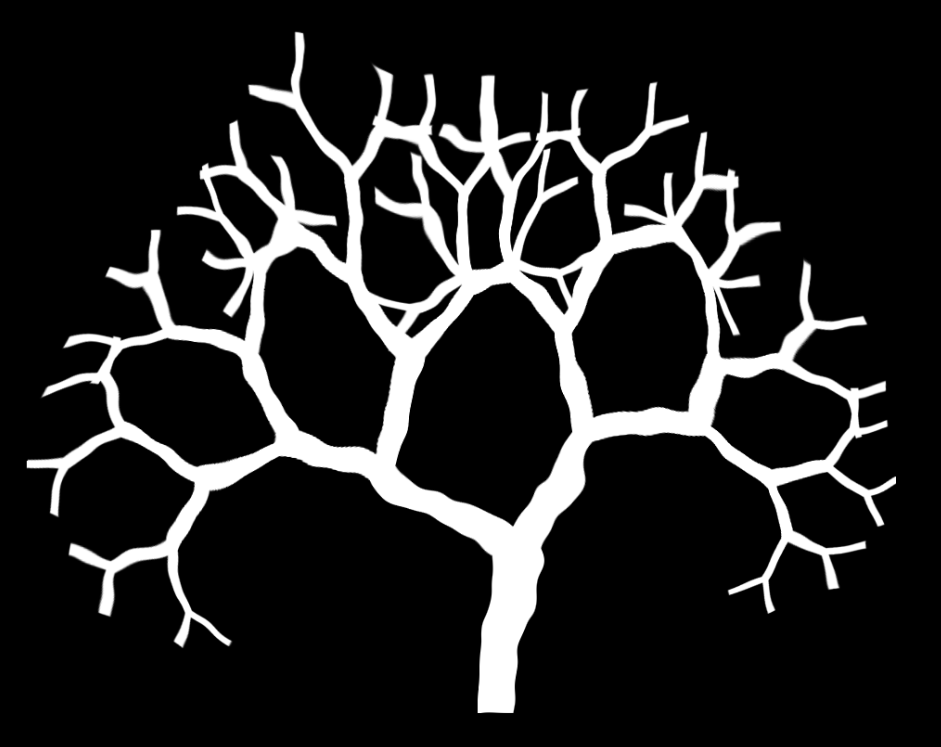
2D and 3D L-system support for things such as:

  • 3D Branching lightning
  • 3D Trees
  • 2D Cracks
Feature Preview

Material Shader to Game Engine SDK Workflow

Status IconAt Risk

Feature Preview

Material Shader to Game Engine SDK Workflow

User Avatar

Nicholas Seavert

Posted on April 17, 2025

Status IconAt Risk

The feature is at risk of being delayed due to running into unforeseen difficulties or is taking longer than anticipated.

The next major step for IlluGen is having a shader workflow from IlluGen to Unreal, Unity, or Godot. When building out assets in IlluGen there are usually two steps: Create the actual asset, then do shader like manipulations to see how all of your assets work together. We are looking into having two direct steps in our pipeline with the asset creation and then the shader steps. This will allow you to continue authoring the assets in IlluGen while seeing it in the proper material shader. From there when you are satisfied, you will be able to export to the engine of your choice for both assets and shaders.

Feature Preview

Destruction: Particle Constraints

Status IconDelayed

Feature Preview

Destruction: Particle Constraints

User Avatar

Nicholas Seavert

Posted on September 21, 2026

Status IconDelayed

The feature is delayed and it is highly likely it won't make it into a particular release.

Without constraints on particles, we don't really have the level of optimal control we would want for actual destruction. We're keeping this for something we add later.

Feature Preview

UE5 Live Link

Status IconOn Target

Feature Preview

UE5 Live Link

User Avatar

Nicholas Seavert

Posted on September 21, 2026

Status IconOn Target

The feature is on track to be included in a particular release.

Edits in IG appear live in UE5.

Feature Preview

Unified Renderer

Status IconOn Target

Feature Preview

Unified Renderer

User Avatar

Nicholas Seavert

Posted on September 21, 2026

Status IconOn Target

The feature is on track to be included in a particular release.

Port EG2/LG2 Renderer to IG2

Feature Preview

Math Node Rebuild + Global Variables

Status IconOn Target

Feature Preview

Math Node Rebuild + Global Variables

User Avatar

Nicholas Seavert

Posted on September 21, 2026

Status IconOn Target

The feature is on track to be included in a particular release.

Math node is currently fairly limited in its usability right now due to the inability to reference global functions and split the XYZ oscillator channels. Hopefully by adding globally referenced variables building custom tooling subgraphs will be far more possible.

Feature Preview

Mesh -> Volume -> Mesh Workflows

Status IconAt Risk

Feature Preview

Mesh -> Volume -> Mesh Workflows

User Avatar

Nicholas Seavert

Posted on October 2, 2026

Status IconAt Risk

The feature is at risk of being delayed due to running into unforeseen difficulties or is taking longer than anticipated.

More complicated workflows for looping liquid simulations, among other operations, require converting a mesh to a volume, then back to a mesh again. IlluGen will eventually support this.

Feature Preview

Volume Rendering - VDB, 3D Textures

Status IconAt Risk

Feature Preview

Volume Rendering - VDB, 3D Textures

User Avatar

Nicholas Seavert

Posted on October 2, 2026

Status IconAt Risk

The feature is at risk of being delayed due to running into unforeseen difficulties or is taking longer than anticipated.

Volume Rendering - VDB, 3D Textures

Feature Preview

Mesh Simplification (Decimation)

Status IconOn Target

Feature Preview

Mesh Simplification (Decimation)

User Avatar

Nicholas Seavert

Posted on October 2, 2026

Status IconOn Target

The feature is on track to be included in a particular release.

A much needed node!

Feature Preview

Dynamic remeshing / Topology support for VAT

Status IconAt Risk

Feature Preview

Dynamic remeshing / Topology support for VAT

User Avatar

Nicholas Seavert

Posted on October 2, 2026

Status IconAt Risk

The feature is at risk of being delayed due to running into unforeseen difficulties or is taking longer than anticipated.

Dynamic remeshing / Topology support for VAT

Feature Preview

Animated Mesh Support (FBX/Alembic)

Status IconOn Target

Feature Preview

Animated Mesh Support (FBX/Alembic)

User Avatar

Nicholas Seavert

Posted on October 2, 2026

Status IconOn Target

The feature is on track to be included in a particular release.

Animated Mesh Support (FBX/Alembic)